
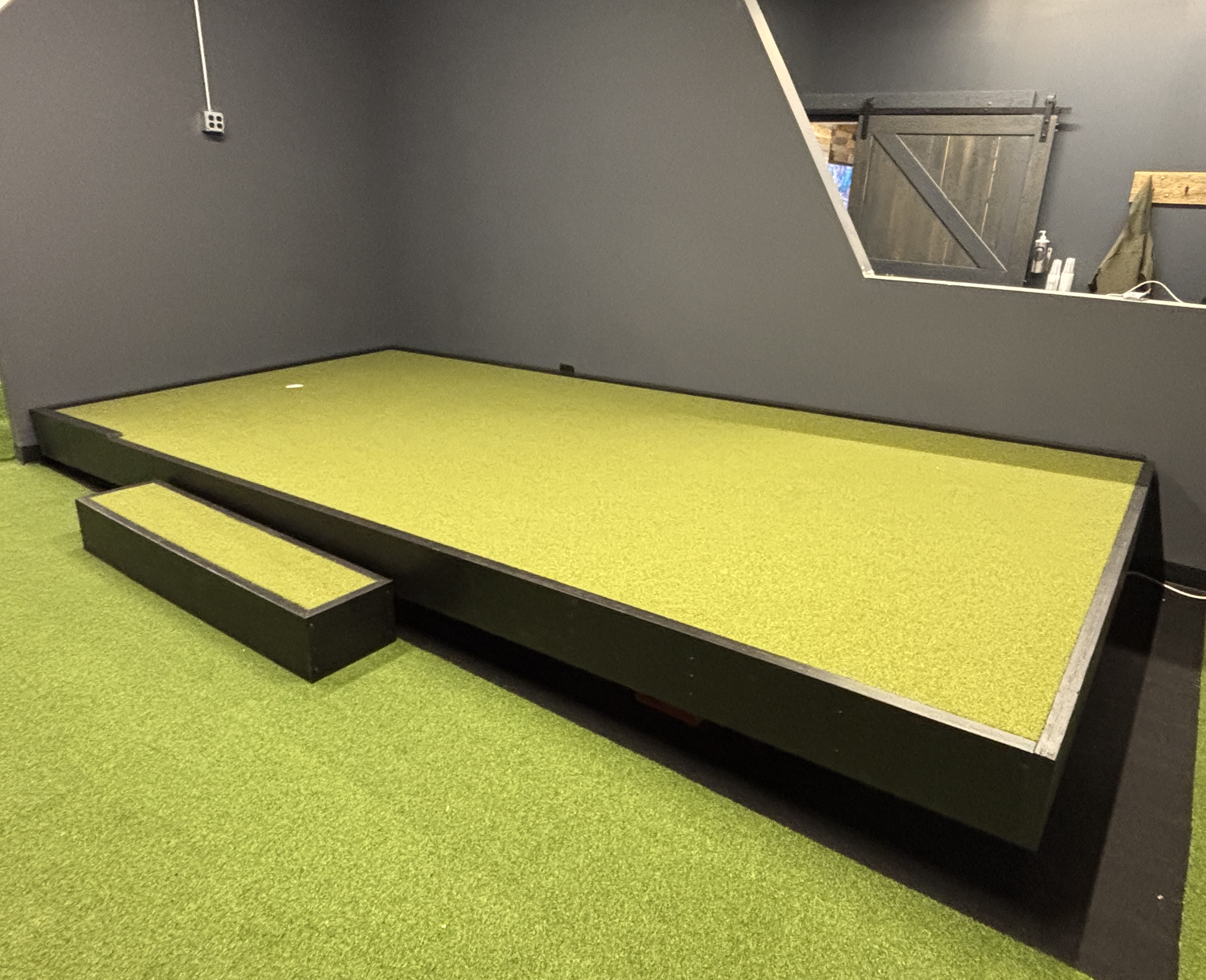
App-controlled tilting putting green for country clubs, indoor facilities, and serious home installs. Realistic ball roll — practice/game modes, optional ball tracking.
No two golfers putt the same, so why should your training surface be one-size-fits-all?
Our precision-engineered deck simulates thousands of real-world putts with app-controlled tilting technology.
Phone-controlled sessions that move the deck through real slope work + games when you want a score.
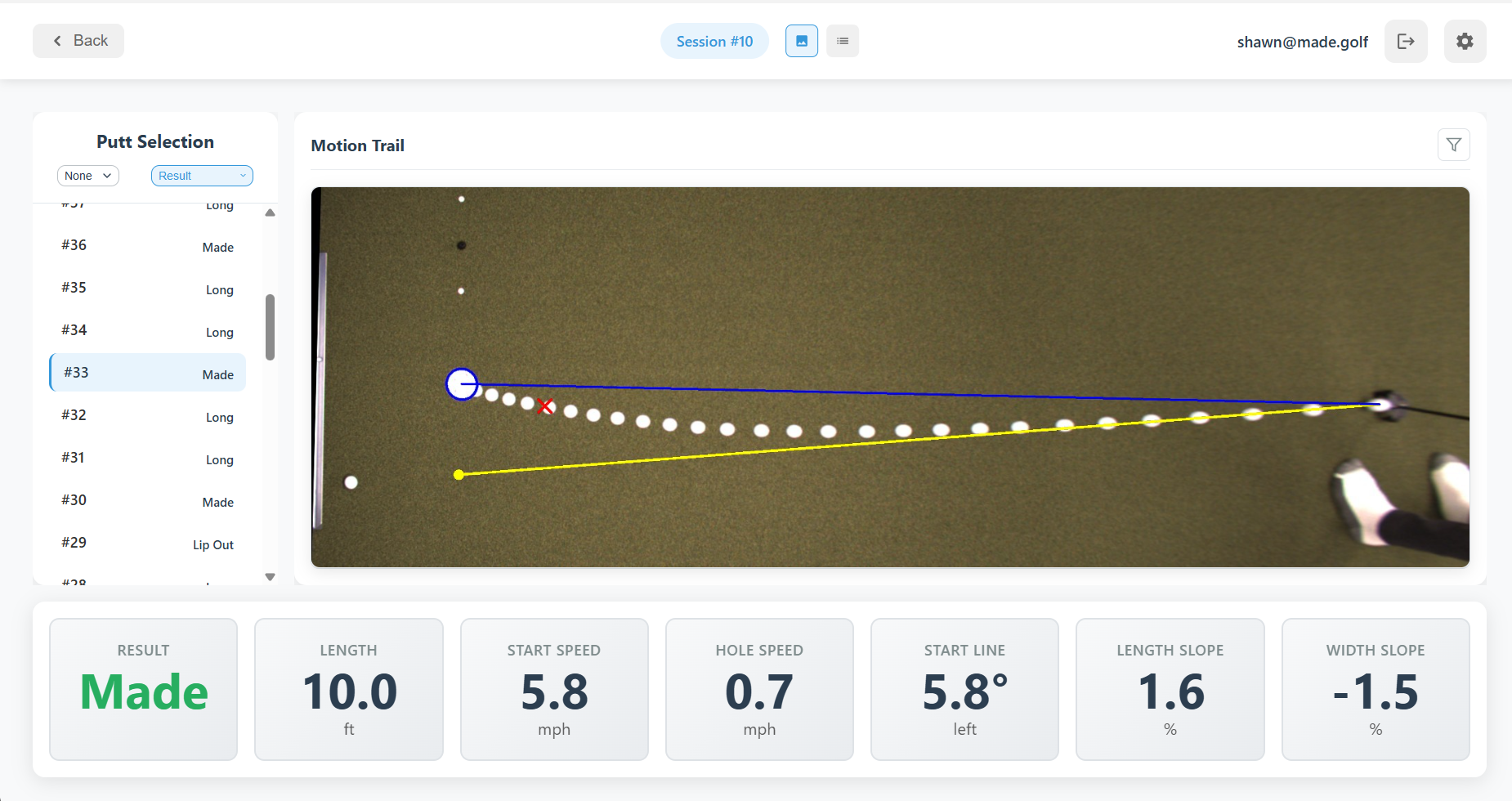
High-speed camera tracking on a PC captures each putt. Get instant feedback and identify patterns to accelerate improvement.
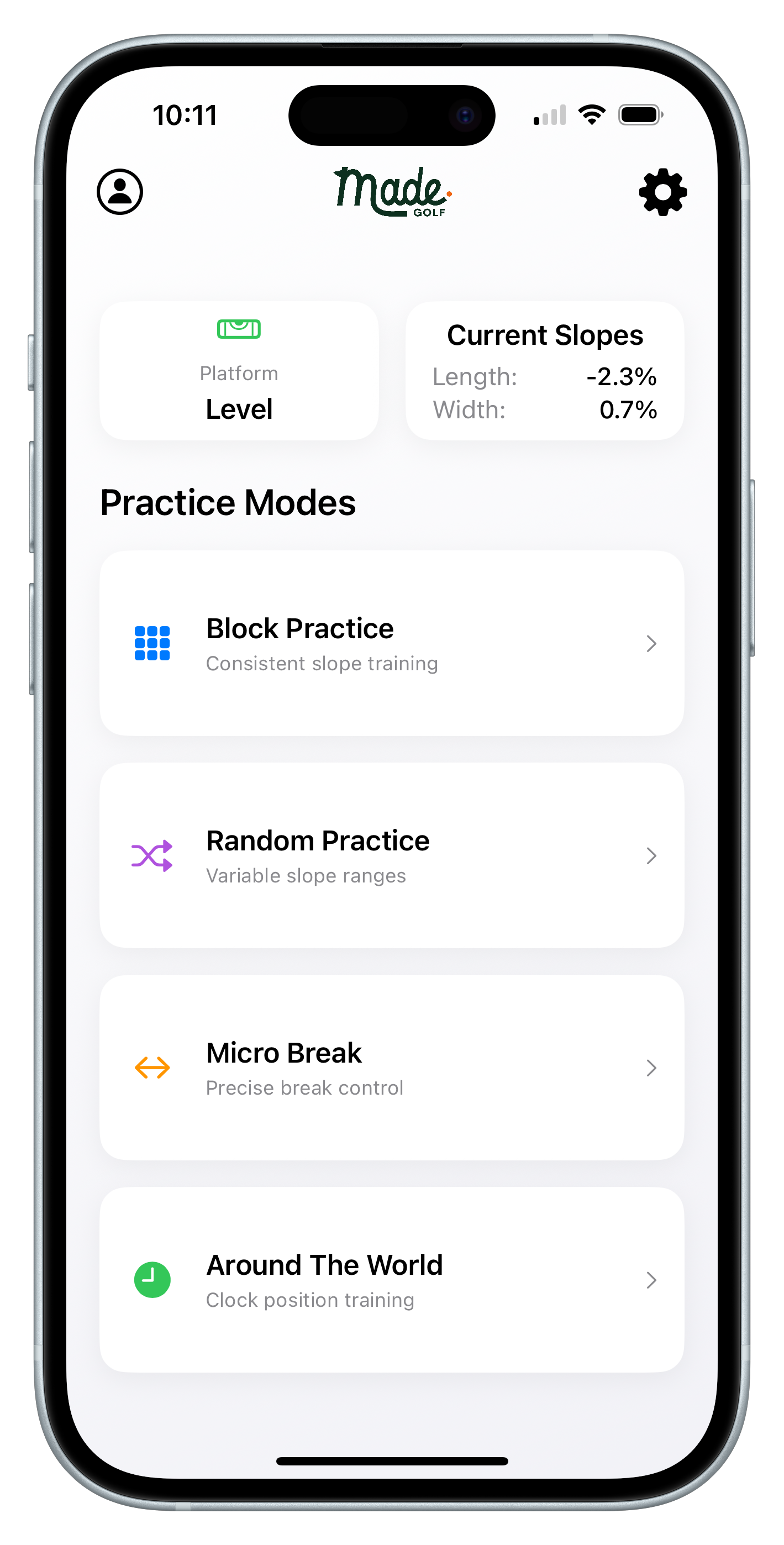
Adjust slopes, switch between practice modes, and view putt history data instantly from your smartphone.
Choose from preset challenges and track your progress over time. Your entire practice session — at your command.
Practice uphill, downhill, and breaking putts at any angle — all without leaving your space.
Made Golf began when our founder developed a custom putting mat to practice and perfect his putting skills. What started as a hobby evolved into a mission.
We're building an accessible putting system — deck, app, and software — that empowers golfers to create their own path to improvement.
Typical footprints are 16 ft × 7.5 ft or 12 ft × 5 ft. Custom sizes are available if your room doesn’t match those. You’ll also need ceiling clearance of 8 ft for the overhead camera when using ball tracking.
The Made Golf iOS app connects over your local Wi‑Fi to set up the deck, dial length and width slope, and run practice and competition modes. Your phone and the tracking PC stay in sync when ball tracking is enabled.
The deck and phone can run slopes and modes on their own. Ball tracking — speed, start line, motion trails, Combine scoring — uses Made Desktop on a Windows PC with an overhead camera on the same network.
We coordinate install with your site: platform, leveling, Wi‑Fi, and (if ordered) camera and PC calibration. Ask for a site survey when you request a demo so we can confirm fit and power.
Request a demo online or email info@made.golf. We typically respond within one business day to schedule a walkthrough of the deck, modes, and tracking.
Request a demo and we’ll walk you through the deck, practice modes, and optional ball tracking.